
What Happens to Your In-Car Video When the Car Comes Back?
A better way for driving experience operators to capture, transfer and deliver customer video — without SD cards, USB drives or cameras to hand out.
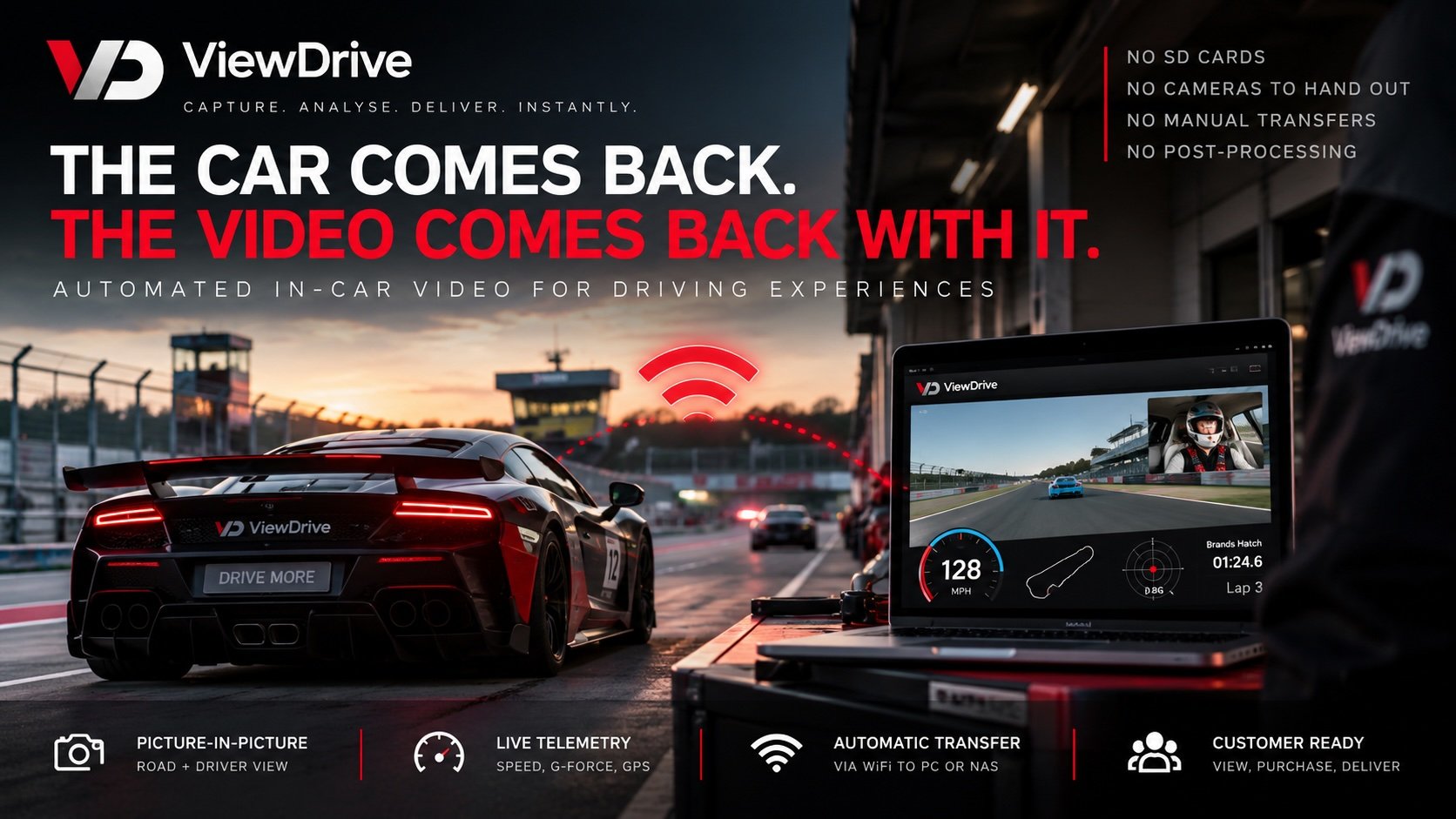
ViewDrive automated in-car video system showing a driving experience vehicle returning to the pit lane with video transferred automatically over WiFi to a computer.
Recording an in-car video is the easy part.
What happens when the car comes back?
Does someone still have to remove an SD card?
Are you still spending money replacing SD cards or USB drives?
Does the customer have to carry a camera during their driving experience?
Do you deal with corrupted files, missing videos or footage that can’t be found?
Does someone still have to find, transfer and match the correct video to the correct customer?
Multiply those processes across dozens of vehicles and hundreds of customers and something as simple as selling an in-car video can become a significant operational task.
If any of that sounds familiar, ViewDrive was designed to remove that process.
Car → WiFi → Sales Desk
ViewDrive takes a different approach to professional in-car video.
Instead of relying on removable cameras or physical media, ViewDrive uses an Android phone installed in the vehicle as the recording, processing and file-transfer device.
The phone stays in the car.
The instructor simply starts and stops the recording as normal.
ViewDrive creates the finished customer video directly on the device, including:
Picture-in-picture recording
Road and driver views
Live speed and telemetry overlays
Custom operator branding
Customer allocation
Automatic file management
There is no separate post-production process required to create the finished video.
Then comes one of the biggest differences.
When the vehicle returns within range of your network, the finished video can be transferred automatically over WiFi to your PC, hard drive or NAS.
No SD card to remove. No USB drive to prepare. No camera for the customer to carry. No manual transfer from every vehicle.
The car comes back. The video comes back with it.
Less Handling. Lower Costs. A Simpler Operation.
The benefit isn’t simply that ViewDrive uses WiFi.
It’s everything your team no longer has to do.
Traditional in-car video can involve purchasing physical media, issuing it to customers, collecting cameras, swapping SD cards, transferring large files and searching for the correct recording.
Every one of those actions takes time.
And when you’re operating a large fleet, small tasks get multiplied across every car, every customer and every event.
ViewDrive is designed to reduce that operational burden.
Less physical equipment to manage
The ViewDrive device stays installed in the vehicle. There’s no action camera to hand to every customer and collect again afterwards.
Reduce your reliance on SD cards and USB drives
Videos can be transferred and ultimately delivered digitally rather than relying on physical media moving around your operation.
Reduce manual file handling
Automatic WiFi transfer means your team doesn’t have to manually retrieve footage from every vehicle.
No separate post-processing
Picture-in-picture, telemetry and branding are created as part of the recording, so the finished file can be ready to use without a separate editing process.
Faster access to customer footage
Instead of waiting for someone to physically bring the video back, the file can transfer automatically when the vehicle returns within range of the network.
The result is simple:
Less equipment. Less handling. Less administration. A faster route from car to customer.
Proven in the Real World
For a commercial driving experience operator, there’s an important difference between something working on one vehicle and working across an entire fleet.
ViewDrive isn’t just a concept.
Since launching commercially, ViewDrive has been used across numerous live driving events and has supported more than 60 vehicles at a single event.
That real-world use has allowed us to continually refine the platform and demonstrate that it can provide stable, reliable in-car recording and WiFi video transfer in the high-volume environments it was designed for.
Whether you’re operating a handful of vehicles or a much larger fleet, the principle remains the same:
Record → Return → Transfer
For smaller operations, that could mean a straightforward WiFi setup transferring footage to a local computer or hard drive.
For larger operations, ViewDrive can work with dedicated WiFi infrastructure and network storage to automatically bring footage back from multiple vehicles.
The technology scales around the operation.
Why Use an Android Phone for Professional In-Car Video?
It might initially seem unusual to build a professional in-car video system around a smartphone.
But that’s also one of ViewDrive’s biggest advantages.
Modern smartphones contain technology that would once have required several separate pieces of specialist hardware:
High-quality cameras
Powerful video processing
GPS
Motion sensors
WiFi connectivity
Local storage
Touchscreen controls
Mobile connectivity
ViewDrive brings those capabilities together into a single software-led in-car recording system.
Instead of recording raw footage and processing it somewhere else, the device can record the video, create the picture-in-picture layout, add telemetry and branding, organise the file and transfer it over WiFi.
And because ViewDrive is software-led, the platform can continue to evolve without operators necessarily having to replace specialist recording hardware across an entire fleet.
What Does ViewDrive Replace?
ViewDrive isn’t designed simply to replace one particular camera.
It’s designed to remove unnecessary physical processes from the in-car video workflow.
Depending on how you currently operate, that can mean reducing or removing the need for:
SD cards
No repeated removal, collection and management between the car and sales desk.
USB drives
Customer media can be delivered digitally rather than relying on physical media.
Customer-carried cameras
The recording device stays installed in the vehicle rather than being handed to each customer.
Manual video transfers
Finished footage can transfer automatically when the vehicle returns to WiFi coverage.
Separate video editing
Picture-in-picture, telemetry and operator branding can already be part of the finished recording.
For a large fleet, removing even a few of those steps from every customer journey can make a significant operational difference.
And We’re Not Stopping at the Sales Desk
Automatic WiFi transfer solves the problem of getting the video out of the car.
The next stage is automating what happens after that.
We’re now developing ViewDrive Media Delivery — an end-to-end customer media journey designed to connect the vehicle, customer, sales process and final digital delivery.
The ambition is straightforward:
Stop → Transfer → Match → View → Purchase → Deliver
From the moment the instructor presses Stop, the finished video can be automatically transferred and matched to the correct customer.
From there, it can be made available for viewing, purchase and digital delivery.
And importantly, the operator chooses how that sales journey works.
Keep Your Sales Desk — Or Go Direct to the Customer
Automation doesn’t have to mean removing your sales team.
For many driving experience operators, getting the customer in front of a member of staff to view their footage is an important part of the sales process.
It provides an opportunity to show them their experience, answer questions, create packages and upsell additional media.
ViewDrive Media Delivery is being developed to support that model.
Your team can continue presenting media to customers at the sales desk, but without the manual process of finding and moving the files there.
Alternatively, operators who want a more automated journey can provide customers with a unique digital link to view and purchase their media directly.
Or use a combination of both.
Automated where you want it, with the sales journey you choose.
Bring Video and Photography Together
The customer’s in-car video doesn’t have to exist in isolation.
Many driving experience operators also capture professional photography around the circuit, vehicle photographs, pit-lane images or other event media.
ViewDrive Media Delivery is being developed so that additional customer media can be brought into the same journey.
That creates the potential for one customer to access:
Their in-car video
Track photography
Experience photographs
Other digital media
from a single branded customer experience.
Instead of thinking about the camera, photography, sales desk and delivery as separate systems, we’re working towards connecting the entire journey.
From ‘Stop’ to Customer
Ultimately, this is where we believe professional in-car video is heading.
Today, ViewDrive can simplify the journey to:
Car → WiFi → Sales Desk
For operators who want greater automation, that can evolve into:
Car → WiFi → Customer
And for operators who want to preserve the value of face-to-face selling:
Car → WiFi → Sales Desk → Customer
There isn’t one correct customer journey.
The technology should support the way you want to operate — not force you to change your business around the technology.
That’s the bigger ViewDrive vision:
From ‘Stop’ to customer — automated where you want it, with the sales journey you choose.
See ViewDrive Working in the Real World
ViewDrive is already being used in commercial driving experience operations.
One of our first major fleet deployments was with Car Chase Heroes, where ViewDrive was introduced across a 30-vehicle operation to provide branded picture-in-picture recording, live telemetry and automatic WiFi video transfer.
Since then, ViewDrive has gone on to operate at events involving more than 60 vehicles at a single event.
Read the ViewDrive & Car Chase Heroes case study →
See What ViewDrive Could Do for Your Fleet
If you’re currently using SD cards, USB drives, handing cameras to customers or manually moving video files around your operation, we’d be happy to show you a different approach.
You don’t need to change an entire fleet to find out whether ViewDrive works for you.
We can arrange a fleet trial, starting with a small number of vehicles, and look at how ViewDrive could fit into your existing operation.
From a straightforward single-car setup to automatic WiFi transfer across a large commercial fleet, the system can be configured around what you actually need.
Want to see it working?
Contact ViewDrive to arrange a fleet trial or demonstration.
Capture. Analyse. Deliver. Instantly.