
Why Use a Smartphone for Professional In-Car Video?
For driving experience operators, recording the video is only the beginning. Modern smartphones combine cameras, GPS, telemetry, processing, storage and connectivity in a single device — changing what can happen from the moment the instructor presses Record to the moment the customer receives their video.
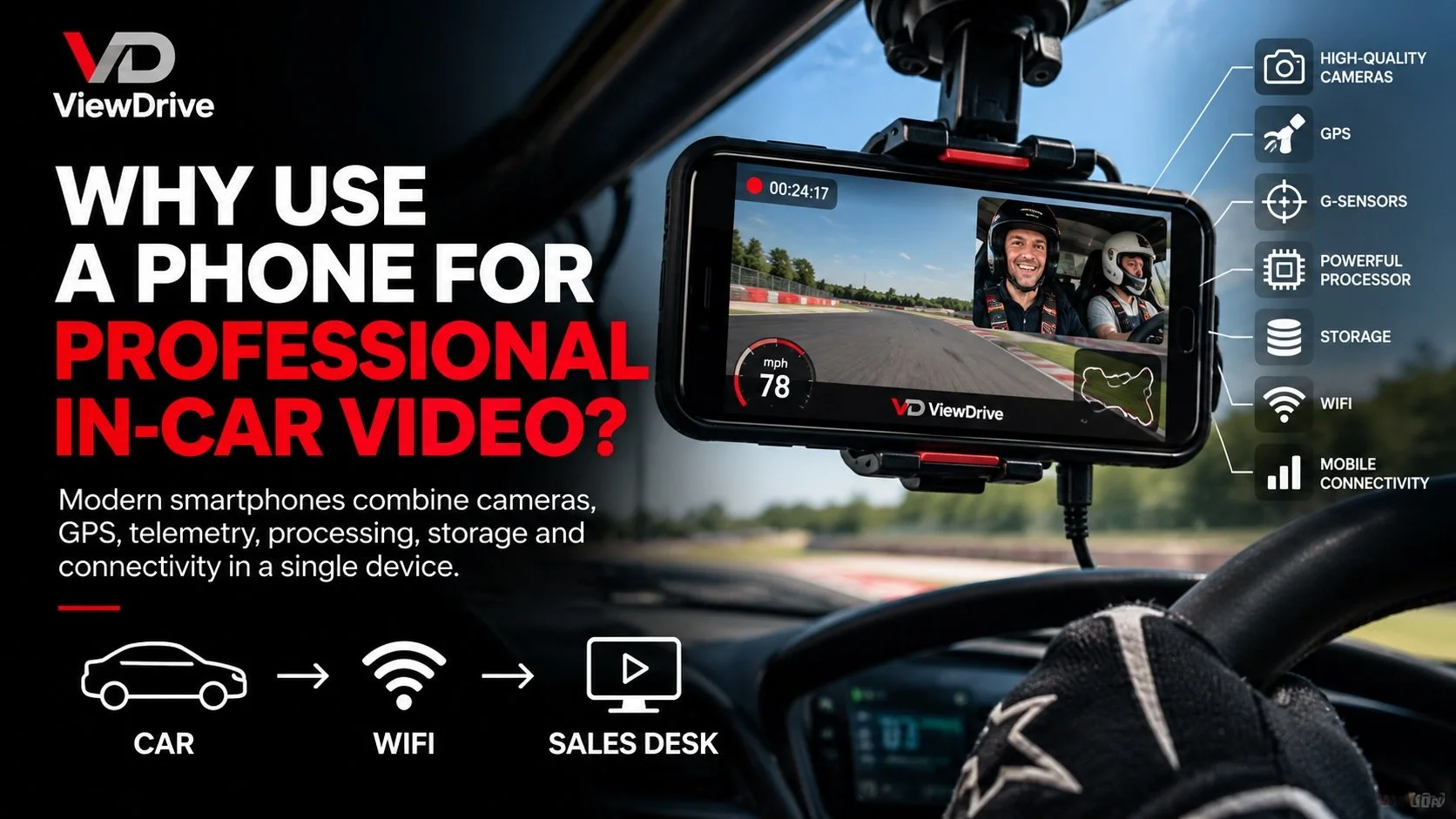
ViewDrive professional in-car video system using an Android smartphone to record picture-in-picture driving footage, telemetry and automatically transfer customer video over WiFi.
Recording an in-car video isn’t particularly difficult.
There are plenty of cameras and specialist systems capable of producing excellent footage.
For a commercial driving experience operator, however, recording is only the first part of the process.
What happens when the car comes back?
Does somebody remove an SD card?
Does the customer have to carry a camera?
Does a member of staff have to find and transfer the recording?
How is the video matched to the correct customer?
Does it need processing before it can be viewed or sold?
And what happens when that process is repeated across 10, 20, 30 or even 60 vehicles?
That’s the problem ViewDrive was designed to solve.
Why Build an In-Car Video System Around a Smartphone?
At first, using an Android smartphone as the heart of a professional in-car video system might sound unusual.
But consider what is already contained within a modern smartphone:
High-quality front and rear cameras
GPS
Accelerometers and motion sensors
Powerful processors
High-capacity storage
WiFi
Mobile connectivity
High-resolution display
A mature, upgradeable software platform
These are technologies in which some of the world’s largest manufacturers invest enormous amounts of development every year.
ViewDrive brings those capabilities together and uses them specifically for professional in-car video.
The smartphone isn’t simply being used as a camera.
It becomes the camera, telemetry device, processor, storage and communications platform for the entire workflow.
That distinction is important.
The Camera Is Only Part of the Problem
For an individual driver or track-day user, capturing great footage may be the main objective.
For a driving experience operator, that footage ultimately needs to become a customer product.
That introduces an entirely different set of requirements.
The recording needs to be reliable.
It needs to contain the right views and branding.
It needs to be associated with the correct customer.
It needs to get out of the vehicle.
It needs to reach the customer or delivery system.
And ideally, all of that needs to happen without creating additional work for instructors or event staff.
A manual process might be manageable with one or two vehicles.
Multiply it across dozens of cars and hundreds of customer drives and it becomes a significant operational task.
That’s where ViewDrive takes a different approach.
What About GoPro, Insta360, VBOX or RaceKeeper?
There are already well-established options for recording in-car video.
These range from action cameras such as GoPro and Insta360 to specialist motorsport video and data systems such as VBOX and RaceKeeper.
Many of these products are very good at what they are designed to do.
ViewDrive approaches the problem from a different direction.
For a driving experience operator, the question isn’t simply:
How do we record good video?
It’s also:
Who does the recording belong to?
How does it get out of the car?
Does somebody need to handle an SD card or camera?
Does the customer need to carry anything?
Does the footage require post-processing?
How does it reach the customer?
How does the customer eventually receive it?
ViewDrive has been designed around that wider commercial workflow.
The smartphone isn’t simply replacing a traditional camera.
It provides the cameras, processing, GPS, sensors, storage and connectivity required to create the finished video and move it through the next stage of the customer journey.
The question isn’t just how you record the video. It’s what happens to it after you press Stop.
Record and Process the Video in the Car
With ViewDrive, the Android phone remains installed in the vehicle.
The instructor simply starts and stops the recording.
During the drive, ViewDrive can create a professional customer video incorporating:
Road and driver picture-in-picture recording
Live speed and selected telemetry
G-force data
Operator branding
Customer allocation
The important part comes when the instructor presses Stop.
ViewDrive creates the finished video directly on the device. Picture-in-picture, selected telemetry and operator branding are already incorporated into the recording.
There is no separate post-production stage required to create the finished video.
The file leaving the vehicle can already be the finished product.
Record → Transfer → Deliver
his is where using a connected device starts to make a significant difference.
When the vehicle returns within range of the operator’s configured WiFi network, ViewDrive can automatically transfer the completed recording.
Depending on the installation, files can be transferred to a local PC, hard drive, NAS or other configured storage location.
Instead of a traditional workflow such as:
Car → Camera/SD Card → Staff Member → Computer → File Transfer
the process can become:
Record → Transfer → Deliver
The instructor presses Stop.
The car returns.
The video comes back with it.
No SD card needs to be collected.
No USB drive needs to be prepared.
No camera needs to be carried by the customer or removed from the vehicle.
And a member of staff doesn’t need to manually transfer every recording.
What happens next is up to the operator.
The video might be included as part of the customer’s experience, sold as an optional extra, viewed with a member of the sales team, used as part of a manufacturer or corporate event, or delivered directly to the customer.
ViewDrive doesn’t dictate the commercial model — it simplifies the technology and workflow behind it.
Less Handling. A Faster Route to the Finished Video.
The real benefit of automatic WiFi transfer isn’t simply removing an SD card.
It’s removing an entire series of small manual jobs.
For a single vehicle, those jobs might not seem significant.
Across 10, 20, 30 or 60 vehicles, repeated throughout a busy event, they quickly add up.
Every recording that can move automatically is one less file somebody has to physically retrieve, transfer and organise.
That means:
Less physical equipment to manage.
Less staff time spent moving files.
Fewer opportunities for media to be misplaced.
Faster access to the finished recording.
And ultimately, a simpler route from the vehicle to wherever that video needs to go next.
Why Not Just Use a Dashcam?
Because ViewDrive isn’t designed simply to record what’s happening through the windscreen.
It’s being developed specifically around professional in-car video and commercial fleet operation.
That includes:
Picture-in-picture recording
Capture the road and occupants within the same finished video.
Live telemetry
Add speed, G-force and selected telemetry directly to the recording.
Custom branding
Create a finished video carrying your organisation’s branding rather than generic camera footage.
Customer allocation
Associate a recording with the correct participant, including through customer QR-code scanning.
Automatic WiFi transfer
Move completed recordings out of the vehicle without retrieving physical storage.
Commercial file management
Manage recordings being created across multiple vehicles without relying on a manual process for every file.
Fleet management
Manage multiple ViewDrive devices as part of a larger commercial deployment.
And we’re now extending that workflow further.
From ‘Stop’ to Customer
Getting the finished video automatically out of the vehicle solves one major part of the problem.
The next stage is connecting that recording with the person it belongs to.
That’s the purpose of ViewDrive Media Delivery.
The objective is to create an end-to-end customer media journey that can begin before the vehicle even moves.
A customer can be identified before their drive, including by scanning their QR code within the ViewDrive app.
Their recording can therefore be associated with them from the beginning.
The instructor then records the experience as normal.
When they press Stop, the finished video can be transferred and matched to the correct customer.
The workflow becomes:
Record → Transfer → Match → Deliver
From there, the operator decides what the customer journey should look like.
Video Included With the Experience?
For some operators, video isn’t an additional product at all.
It’s part of the experience the customer has already purchased.
In that situation, there may be no requirement for a traditional sales desk or additional transaction.
The objective is simply to get the correct finished video to the correct customer as efficiently as possible.
With the customer already associated with their recording, the media can move through the delivery workflow without staff having to manually identify and organise individual files.
Press Stop → Transfer → Match → Customer
Selling Video as an Optional Extra?
For other operators, customer media represents an important additional revenue opportunity.
Automation doesn’t have to mean removing face-to-face sales.
Customers can still sit with a member of the team, view their media and decide what they would like to purchase.
That interaction can remain valuable for presenting the product, creating packages and upselling additional media.
The difference is what’s happening behind the scenes.
Instead of staff spending time finding, transferring and matching recordings, ViewDrive Media Delivery can automate those processes while preserving the existing sales journey.
In that environment, the workflow could be:
Record → Transfer → Match → View → Purchase → Deliver
Or Deliver Directly to the Customer
For operators who prefer a more automated model, customers can receive a unique digital link allowing them to access their media.
That could replace a traditional sales desk, complement it, or provide a second opportunity to purchase after the customer has left the venue.
There isn’t one correct model.
Some operators may want a fully automated digital journey.
Others may want to retain face-to-face selling.
And some may simply want the video automatically delivered because it is already included in the customer’s package.
Automated where you want it, with the customer journey you choose.
Bring Video and Photography Together
Customer video doesn’t necessarily have to exist separately from the rest of the event media.
Many driving experiences, manufacturer events and automotive activations also generate professional photography.
ViewDrive Media Delivery is being developed so additional customer media can be brought into the same journey.
That creates the potential for a customer to access:
Their in-car video
Track photography
Vehicle photographs
Experience photography
Other digital event media
through a single customer experience.
For operators selling media, that creates opportunities to package video and photography together.
For organisations where media is already included, it creates a simpler way to deliver everything in one place.
The objective is the same: reduce the manual work between capturing the media and getting it to the correct person.
Designed for Commercial Fleets
The advantages of this approach become increasingly apparent as the number of vehicles grows.
Since launching commercially, ViewDrive has been used across numerous live driving events and has supported more than 60 vehicles at a single event.
But the principle remains the same whether an operator has three cars or sixty.
The phone stays in the vehicle.
The instructor records the drive.
ViewDrive creates the finished video.
The network moves it.
The infrastructure around ViewDrive can then scale to suit the operation.
A smaller installation may use a relatively simple WiFi and local computer setup.
Larger commercial deployments can use dedicated wireless access points, networking and local or NAS storage to handle transfers from multiple vehicles.
Planning a multi-car installation?
Explore ViewDrive Hardware & Setup →
The Smartphone Is the Platform, Not the Compromise
Perhaps the biggest misconception is that using a smartphone means compromising on professional technology.
We see it differently.
Modern smartphones contain an extraordinary amount of camera, sensor, processing, storage and communications technology within a single compact device.
ViewDrive takes advantage of that technology and adds software designed specifically around professional in-car video and the commercial customer journey.
Instead of building another standalone camera, ViewDrive uses a platform capable of:
Recording.
Processing.
Adding telemetry.
Identifying the customer.
Storing the finished recording.
Transferring it wirelessly.
And increasingly, delivering it to the customer.
Because ViewDrive is primarily a software platform, the workflow can continue to develop without requiring operators to replace an entire proprietary recording system simply to introduce new functionality.
A Different Approach to Professional In-Car Video
ViewDrive isn’t simply about replacing one camera with another.
It’s about removing the processes surrounding the camera.
No SD cards to collect.
No USB drives to manage.
No cameras for customers to carry.
No manual file transfer for every recording.
No separate post-production process to create the finished video.
Instead, the core principle is much simpler:
Record → Transfer → Deliver
And where customer identification or sales are required:
Record → Transfer → Match → Deliver
Or:
Record → Transfer → Match → View → Purchase → Deliver
The technology adapts to the operation rather than forcing every operator into the same customer journey.
Capture. Analyse. Deliver. Instantly.
Want to See ViewDrive Working in Your Fleet?
Every operation is different.
The right ViewDrive setup depends on the number of vehicles you operate, your existing network, where you want recordings stored and how you ultimately want that media delivered.
ViewDrive can scale from a simple setup for a handful of cars through to automatic WiFi transfer across a large multi-vehicle fleet.
We’re currently offering commercial operators the opportunity to trial ViewDrive within their own operation.
Whether video is an optional sale, included within the customer’s experience or simply needs to move automatically from the vehicle to the right person, we can configure the workflow around your requirements.